Searching for the iptv smarters pro apk usually means you're on a device — an older Android box, or a Firestick where the app isn't listed directly in your region's app store — that requires sideloading rather than a standard app store install. This guide walks through exactly how to do that safely, the risks of getting it wrong, and a full step-by-step installation process for both Android and Firestick devices.
Table of Contents
- Why you might need the APK specifically
- The safety risk of unofficial APK sources
- Where to get a safe, legitimate APK
- Step-by-step installation on Android
- Step-by-step installation on Firestick
- Verifying your installation is genuine
- Common installation errors and fixes
- Keeping the app updated safely
- Frequently asked questions
1. Why You Might Need the APK Specifically
If your device's app store doesn't list IPTV Smarters Pro directly — common on older Android TV boxes, Firesticks in regions where the app isn't listed through Amazon's store, or devices without full Google Play access — sideloading the iptv smarters pro apk file directly is the standard workaround. This is a legitimate, common practice in the Android ecosystem generally, not something exclusive or unusual to IPTV apps specifically.
2. The Safety Risk of Unofficial APK Sources
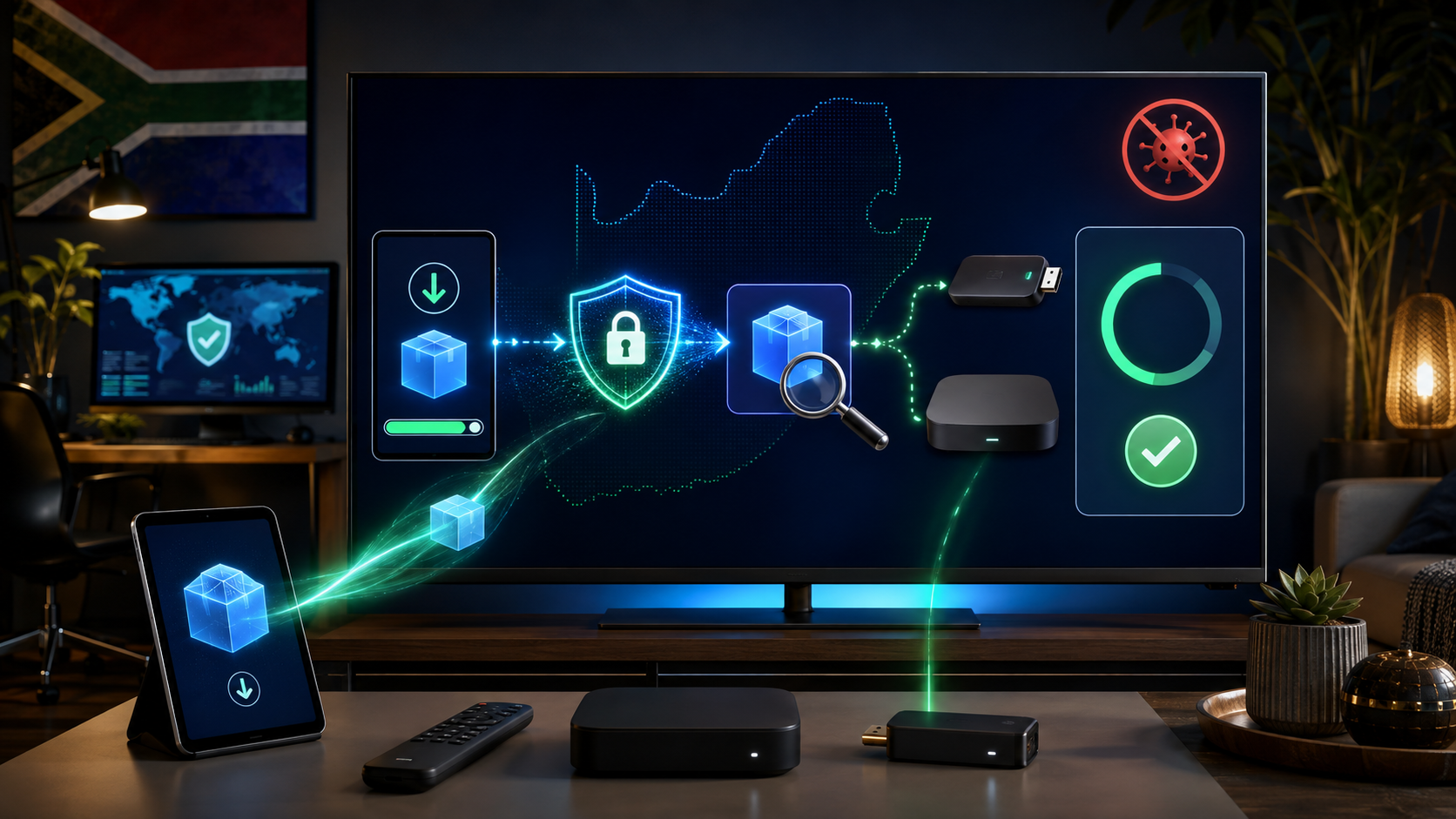
The core risk with any sideloaded APK, including IPTV Smarters Pro, is source legitimacy. APK files from unofficial, unverified third-party sites can be modified to include malware, adware, or other unwanted software bundled alongside the legitimate app. This isn't a risk specific to IPTV apps, but it's worth taking seriously given how many search results for "IPTV Smarters Pro APK" lead to file-sharing sites with limited accountability for what they're actually distributing.
3. Where to Get a Safe, Legitimate APK
The safest source is always the developer's own official website or verified distribution channel, where one exists, followed by well-established, reputable APK repository sites with a track record of verifying file integrity (checking file hashes against the developer's official release where possible). Avoid APK files linked from forum posts, unfamiliar file-sharing sites, or sources that require additional unrelated downloads or account signups before providing the file.
4. Step-by-Step Installation on Android
Step 1: On your Android device, go to Settings > Security (or Apps & Notifications, depending on your Android version) and enable "Unknown Sources" or "Install unknown apps" for your browser or file manager app specifically.
Step 2: Download the iptv smarters pro apk file from a verified source, as covered above.
Step 3: Open your device's file manager, locate the downloaded APK file, and tap it to begin installation.
Step 4: Follow the on-screen prompts to complete installation, then open the app and proceed with the standard login process covered in our complete IPTV Smarters Pro setup guide.
Step 5: Once installed and confirmed working, consider disabling "Unknown Sources" again as a general security precaution, re-enabling it only when you need to sideload something else in future.
5. Step-by-Step Installation on Firestick
Step 1: On your Firestick, go to Settings > My Fire TV > Developer Options, and enable "Apps from Unknown Sources."
Step 2: Install the Downloader app from the Amazon Appstore if you don't already have it — this is the standard tool for sideloading APKs on Firestick.
Step 3: Open Downloader, enter the verified APK source URL, and download the file.
Step 4: Downloader will prompt you to install once the download completes — follow the on-screen steps to finish installation.
Step 5: Delete the downloaded APK file when prompted (Downloader typically offers this automatically) to free up storage space, then launch the app and proceed with your provider login.
6. Verifying Your Installation Is Genuine
After installation, check the app's version number and developer information within your device's app settings menu against the official developer's published current version — a significant mismatch or unfamiliar developer name is worth investigating further before entering your provider login credentials into the app.
7. Common Installation Errors and Fixes
"App not installed" error: Often caused by a corrupted download — try re-downloading the file, or try a different verified source if the issue persists.
Installation blocked despite enabling Unknown Sources: Double-check you've enabled the setting for the correct specific app (browser or Downloader) being used to install, since some Android versions require per-app permission rather than a single global toggle.
App installs but won't open: Restart your device and try again; if the issue persists, uninstall and reinstall using a freshly downloaded file rather than assuming the same file will work differently on a second attempt.
8. Keeping the App Updated Safely
Once installed via APK, the app typically won't auto-update the way an official app store installation would. Periodically check your verified source for a newer version, and repeat the installation process to update, rather than assuming a sideloaded app stays current automatically the way a Play Store or Amazon Appstore installation does.
9. Frequently Asked Questions
Is downloading the IPTV Smarters Pro APK safe? Yes, provided you source it from the developer's official channel or a well-established, verified repository — the risk lies specifically in unofficial, unverified sources, not in sideloading as a practice itself.
Do I need the APK if my app store already has IPTV Smarters Pro? No — if the app is available directly through your device's official app store, install it that way instead, since it's simpler and receives automatic updates.
Will sideloading void my device's warranty? Generally no for standard Android devices and Firesticks, since enabling sideloading is a standard, manufacturer-supported feature rather than an unauthorised modification.
How do I know if an APK source is trustworthy? Prioritise the developer's own official site first, followed by well-established repositories with a verifiable track record — avoid unfamiliar file-sharing sites or sources bundling unrelated downloads.
What should I do if I've already installed from an untrusted source? Consider uninstalling and reinstalling from a verified source, and run a security scan on your device as a precaution.
Need help sourcing a safe APK link for your specific device? Reach out to our team and we'll point you in the right direction.
Suggested image: Screenshot of the Firestick Downloader app installation process, alt text: "iptv smarters pro apk download firestick"
Suggested external dofollow links: Official IPTV Smarters Pro developer website, Amazon Appstore Downloader app listing
Internal sibling links: Article #15 (IPTV Smarters Pro Setup and Review), Article #36 (How to Install IPTV on Firestick), Article #30 (IPTV APK Files: How to Install Safely)
10. Understanding Why Sideloading Exists as a Legitimate Practice
It's worth addressing a common misconception directly: sideloading an APK, including the iptv smarters pro apk, isn't inherently a risky or illegitimate practice — it's a standard, manufacturer-supported feature of the Android operating system that Amazon's Fire TV platform also builds on. Android was designed from the outset to allow installation from sources beyond a single official app store, unlike some more locked-down mobile operating systems. The risk in sideloading comes entirely from where you source the file, not from the act of sideloading itself. Understanding this distinction matters because it reframes the actual safety question correctly: the goal isn't avoiding sideloading altogether, but being genuinely careful about source legitimacy when you do it.
11. A Deeper Look at File Verification
For readers who want an extra layer of confidence beyond simply choosing a reputable source, it's worth understanding basic file verification concepts. Legitimate APK distribution sources sometimes publish a file hash (an MD5 or SHA checksum) alongside their download link, allowing you to independently verify that the file you've downloaded matches exactly what the source claims to be distributing, with no tampering in between. While this level of verification is more technical than most casual users will want to pursue for every download, it's a genuinely available option for anyone wanting maximum confidence before installing an APK that will subsequently have access to your provider login credentials.
12. Why We Recommend Official App Stores as the Default First Choice
Throughout this guide, we've focused on doing sideloading safely when it's genuinely necessary — but it's worth restating clearly that installing IPTV Smarters Pro through your device's official app store, where available, remains the simpler and generally safer default choice whenever it's an option. Official app stores provide automatic updates, a baseline security review process before an app is listed, and a straightforward removal or reporting mechanism if a problem is later discovered. Reserve sideloading specifically for situations where the official app store genuinely doesn't offer the app for your specific device or region, rather than defaulting to APK sideloading purely out of habit or a preference for avoiding app store account requirements.
13. Device-Specific Considerations Beyond Firestick and Standard Android
Beyond the two primary installation paths covered in this guide, a few less common device scenarios are worth a brief mention. Older Android TV boxes without Google Play Store access entirely will typically require sideloading as the only installation method available, making careful source verification particularly important given the complete absence of any official app store safety layer as a fallback. Some Android TV box manufacturers also bundle their own alternative app stores pre-installed — if your specific box offers this, check whether IPTV Smarters Pro is available through that manufacturer app store before resorting to manual APK sideloading, since a manufacturer's own curated app store, while not as rigorously reviewed as Google Play, still typically offers more accountability than an anonymous third-party APK site.
14. Troubleshooting Persistent Installation Failures
If you've followed the installation steps correctly but continue experiencing failures, a few less obvious causes are worth checking. Insufficient device storage space can cause installation to fail silently or with a generic error message that doesn't clearly indicate the actual underlying cause — check your device's available storage before troubleshooting further. An outdated device operating system version can also cause compatibility issues with a newer APK release — check whether a system update is available for your specific device, since installing that update may resolve an installation failure more reliably than repeatedly attempting to reinstall the same incompatible APK version. And on some older devices, a corrupted system cache can interfere with new app installations generally, not just IPTV Smarters Pro specifically — a full device restart, or in more persistent cases a cache partition wipe (a more advanced troubleshooting step worth researching specifically for your device model before attempting), can resolve installation issues that survive simpler troubleshooting attempts.
15. What to Do After Successful Installation
Once you've successfully installed the iptv smarters pro apk and confirmed it opens correctly, proceed directly to entering your provider's login credentials, following the complete setup process covered in our dedicated IPTV Smarters Pro review and setup guide. It's worth testing basic functionality — a live channel loading correctly, EPG data populating — before considering your installation fully complete, since a successful app installation doesn't automatically guarantee successful provider connectivity, which depends on entirely separate factors covered in that companion guide.
16. A Broader Perspective on APK Safety for South African Users
South African IPTV users searching for the iptv smarters pro apk are part of a much larger, global pattern of Android sideloading that extends well beyond IPTV specifically — many popular apps, games, and utilities are routinely sideloaded by users worldwide for reasons ranging from regional app store restrictions to device compatibility gaps. Understanding this broader context helps normalise what can otherwise feel like an unusually risky or technical process to first-time sideloaders: the underlying mechanics and safety principles covered throughout this guide apply just as well to any other APK you might need to sideload in future, not just this specific IPTV player app. Building genuine comfort and competence with safe sideloading practices is a transferable skill worth developing properly rather than treating as a one-time, IPTV-specific hurdle to get past.
17. Comparing APK Sideloading Risk Across Different App Categories
It's worth putting IPTV app sideloading risk into perspective relative to other categories of sideloaded software. Apps that request extensive device permissions — access to contacts, camera, microphone, location — carry meaningfully higher risk if sourced from an untrustworthy provider, since a malicious version could exploit those permissions for genuinely harmful purposes like data theft or covert surveillance. IPTV player apps like IPTV Smarters Pro typically request more limited permissions focused on network access and local storage, somewhat reducing (though not eliminating) the potential harm from a compromised version compared to a more permission-hungry app category. This isn't a reason to be cavalier about source verification — a compromised version could still introduce unwanted background processes, advertising injection, or other undesirable behaviour — but it's useful context for calibrating your appropriate level of caution relative to other, higher-risk sideloading scenarios you might encounter.
18. How to Recognise a Potentially Compromised APK Before Installing
Beyond source verification, a few practical signs can indicate a potentially compromised or modified APK file before you even complete installation. An unusually large file size compared to the developer's officially published size for the same version is worth investigating, since bundled unwanted software can noticeably inflate file size. A request for excessive, unrelated permissions during installation — an IPTV player app requesting access to your contacts or SMS messages, for example, has no legitimate functional reason to need that access — is a clear warning sign worth heeding by cancelling the installation rather than proceeding. And if your device's built-in security scanning (Google Play Protect, active by default on most Android devices even when sideloading) flags the file during or after installation, take that warning seriously rather than dismissing it purely because you're confident in your chosen source.
19. Setting Up a Safer Long-Term Sideloading Habit
If you anticipate needing to sideload IPTV-related APKs periodically — for app updates, or for setting up additional devices in your household — it's worth establishing a consistent, safer routine rather than treating each sideload as an isolated, ad-hoc event. Bookmark your verified source directly, rather than re-searching and risking landing on a different, less trustworthy site each time. Keep a record of the specific version numbers you've successfully installed and verified as working, making it easier to spot an unexpected version jump that might warrant extra scrutiny on a future update. And periodically review your device's installed app permissions through your device's settings menu, confirming that your IPTV player app's actual requested permissions still match what you'd expect for a standard IPTV playback application, catching any unexpected permission creep that might indicate a compromised update slipped through.
20. Understanding the Relationship Between the App and Your Provider's Security
It's worth clarifying a distinction that occasionally causes confusion: the security of your sideloaded APK installation and the security of your IPTV subscription provider are two entirely separate considerations. A perfectly safe, legitimately sourced IPTV Smarters Pro installation can still be paired with a poorly-vetted, risky provider, and conversely, a well-vetted, legitimate provider's credentials can be compromised if entered into a maliciously modified app. Both halves of this equation — safe app sourcing, covered throughout this guide, and safe provider vetting, covered in our broader provider evaluation guide — deserve independent attention rather than assuming that getting one right automatically covers the other.
21. A Note on Regional APK Availability Differences
South African users occasionally encounter a specific frustration worth addressing directly: an app being readily available through official stores in other regions while remaining unavailable or restricted in South Africa's specific app store catalogue, for reasons related to the app store's own regional licensing or distribution agreements rather than anything related to the app itself or South African regulations. This regional gap is precisely the scenario where legitimate sideloading becomes most clearly justified — you're not circumventing a deliberate restriction on the app's use, but working around an app store distribution limitation that has nothing to do with whether the underlying app is safe or appropriate for South African users specifically.
22. Final Safety Checklist Before You Begin
Before starting your iptv smarters pro apk installation, run through this final checklist: confirm you genuinely need to sideload rather than having overlooked an official app store listing for your specific device; identify a verified, reputable source rather than the first search result you encounter; check the file size and permissions requested feel reasonable for an IPTV player app; keep your provider login credentials ready separately so you're not searching for them mid-installation; and plan to re-disable unknown-source installation permissions once your installation is complete, as a general device security habit worth maintaining beyond this single installation.
23. A Quick Reference Table
| Consideration | Safe practice | Risky practice to avoid |
|---|---|---|
| Source | Developer's official site or verified repository | Random forum links or unfamiliar file-sharing sites |
| Permissions requested | Network access, local storage only | Contacts, SMS, camera without clear functional reason |
| File size | Matches developer's officially published size | Unusually large or unexplained size difference |
| Updates | Periodic manual check against verified source | Never updating, or blindly trusting auto-update prompts from unknown sources |
| Post-install | Re-disable unknown sources after installing | Leaving unknown-source installation permanently enabled |
24. Why This Level of Care Is Worth the Extra Few Minutes
It might feel like this guide has dedicated a disproportionate amount of attention to what's ultimately a fairly routine technical task, but the extra care is genuinely warranted given what's ultimately at stake: an app that will have your provider's login credentials, and potentially ongoing network access on a device connected to your home network. The few extra minutes spent verifying a source, checking requested permissions, and following a proper installation sequence represent a genuinely worthwhile investment relative to the potential downside of a compromised installation — unwanted background processes, injected advertising, or in worse cases, actual credential or data exposure. Treat this the same way you would any other software installation with access to sensitive login information, rather than assuming IPTV-specific content warrants less caution than, say, a banking app might.
25. Closing Thoughts
Sideloading the iptv smarters pro apk is a straightforward, legitimate process once you understand the correct steps and, critically, where to source the file safely. The core message of this guide is simple: the act of sideloading itself isn't the risk — source legitimacy is. Follow the step-by-step installation process for your specific device, verify your source carefully before downloading anything, watch for the warning signs covered throughout this guide, and you'll have a safely installed, fully functional IPTV player ready for your provider login within a matter of minutes. Combined with the broader setup and troubleshooting guidance in our complete IPTV Smarters Pro review, you'll have everything needed for a smooth, secure South African IPTV setup from installation through to daily use.
If you run into any issues during installation not covered in this guide, or want a second opinion on a specific APK source before downloading, our team is happy to help — reach out through our contact page with the details.
26. A Final Word on Building Confidence With This Process
If this is your first time sideloading any app, the process covered throughout this guide might feel more involved than you expected for what seems like a simple app installation. That's a completely normal reaction, and it's worth remembering that the underlying process — enabling unknown sources, downloading a verified file, and installing it through your device's standard installation flow — becomes considerably more familiar and quick after your first successful attempt. Most South African users who follow this guide's steps report the entire process taking under ten minutes once they know what to expect, with the bulk of that time spent on source verification rather than the actual technical installation steps themselves. Don't let an unfamiliar process discourage you from getting your IPTV setup working properly — the skill genuinely does become second nature quickly, and it's a useful one to have for any future Android sideloading needs beyond just this specific app.
Take it step by step, don't rush the source verification stage, and you'll have a safe, working installation ready to pair with your provider credentials in no time at all.
27. Where to Go Next
Once your installation is complete and verified, your next step is entering your provider's login credentials and confirming everything works correctly, following the full setup walkthrough in our companion guide. If you haven't yet chosen or vetted an IPTV provider, we'd recommend working through our complete provider vetting checklist before finalising your subscription, so that the safely-installed app you've just set up has a genuinely trustworthy provider behind it. Getting both halves of this equation right — a safely sourced app and a properly vetted provider — is what separates a genuinely solid South African IPTV setup from one built on a shaky foundation in either direction.
28. Summary
To bring this guide together into a few key takeaways: sideloading the iptv smarters pro apk is a standard, legitimate practice made necessary when your device's official app store doesn't offer direct installation, and the entire safety consideration hinges on where you source the file rather than the act of sideloading itself. Follow the device-specific installation steps covered in this guide, verify your source carefully, watch for the warning signs of a potentially compromised file, and re-secure your device settings once installation is complete. Handled this way, sideloading becomes a routine, low-risk part of setting up your South African IPTV experience rather than a source of ongoing anxiety about device security.
Once you've done it once carefully, following every step in this guide, you'll find the whole process takes only a few minutes on any future device or update — a genuinely useful skill to have in your back pocket well beyond this single IPTV setup.
Good luck with your installation, and enjoy the smooth, secure IPTV setup that follows once it's done properly.
29. One Last Reminder
Before you close this guide and start your installation, take thirty seconds to double-check the source URL you're about to download from one final time — it's the single most important step in this entire process, and the one worth the extra moment of caution regardless of how confident you feel about the rest of the installation steps. Everything else in this guide exists to support that one core decision: where the file actually comes from.
Get that one decision right, and everything else in this guide falls neatly into place behind it.
Now go get your app installed properly, and enjoy the rest of your South African IPTV setup.
30. Final Thoughts
We've covered installation steps, source verification, security considerations, and troubleshooting in considerable depth throughout this guide, because getting this specific step right — safely installing your chosen IPTV player app — is foundational to everything else in your South African IPTV experience. A safely sourced, properly installed iptv smarters pro apk paired with a well-vetted provider gives you the solid technical foundation needed for reliable, worry-free viewing. Take the time to follow this guide properly rather than rushing through it, and you'll set yourself up for a genuinely smooth experience from installation all the way through to your first live stream.