Android boxes and Amazon Firestick remain the two most popular device choices for South African IPTV households, and while they share the same underlying Android foundation, setup and performance can differ meaningfully between them. This guide rounds up the best iptv apps android firestick users should actually consider, with specific setup and performance notes for each platform.
1. Why Android and Firestick Deserve a Combined Guide
Amazon Firestick runs a customised version of Android, meaning most Android-compatible IPTV apps work on both platforms — but subtle differences in app store availability, sideloading process, and remote navigation mean a genuinely useful guide needs to address both together rather than treating them as identical. This guide draws on our full player app review series to bring you the strongest cross-compatible options with platform-specific notes for each.
2. Top Pick Overall: IPTV Smarters Pro
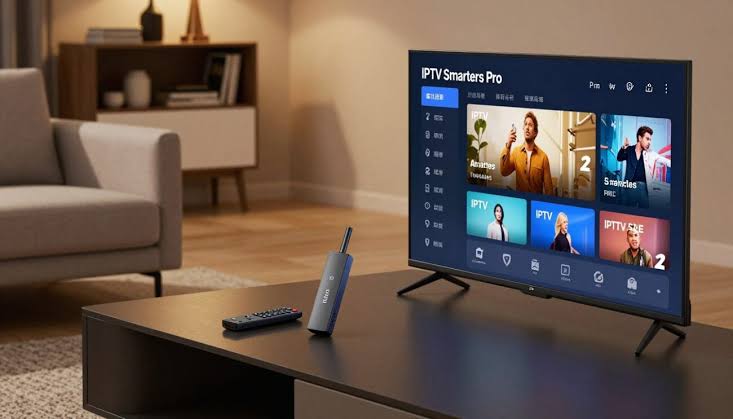
IPTV Smarters Pro, covered in our dedicated review, is available directly through both Google Play (Android) and the Amazon Appstore (Firestick), meaning no sideloading is required on either platform. Its broad compatibility and consistent performance across both device types make it our safest, most confident default recommendation for households running either or both.
3. Best Interface: IPTV Smart Player
IPTV Smart Player, covered in our full review, offers a cleaner, more visually organised interface with stronger multi-profile support. Available on both platforms, though sideloading may be required on Firestick depending on regional Appstore availability, following the safe sideloading process covered in our APK guide.
4. Best for Older Hardware: Dev IPTV Pro
Dev IPTV Pro, covered in our dedicated review, offers the lightest resource demands of any app in our series, making it the strongest choice for older Android boxes or base-model Firesticks that struggle with more feature-dense competitor apps.
5. Best Android TV-Specific Experience: TiviMate
TiviMate, covered in our full review, delivers the most polished, TV-native interface of any app we've tested, built specifically around Android TV and Firestick remote-control conventions. Its narrower platform support (no Smart TV or iOS) is a non-issue for households specifically using Android or Firestick devices.
6. Setup Differences Between Android and Firestick
On standard Android devices with full Google Play access, most apps in this guide install directly with no extra steps. On Firestick, some apps require sideloading via the Downloader app, covered in full throughout our Firestick setup guide, since Amazon's Appstore doesn't list every app available on Google Play. Budget a few extra minutes for Firestick setup specifically if your chosen app requires this additional step.
7. Performance Differences Worth Knowing
Firestick and Android box performance depends more on the specific hardware generation than on the platform itself — a current-generation Firestick 4K and a reputable-brand Android TV box perform comparably for most of the apps covered in this guide. Older or budget hardware on either platform benefits from choosing a lighter-weight app like Dev IPTV Pro over more feature-dense options like TiviMate.
8. How to Choose Between Them
If you're deciding between purchasing a Firestick or an Android box specifically, rather than which app to run, see our complete device comparison guide for that broader decision. This guide assumes you've already chosen your device type and are now selecting the right app to run on it.
9. Frequently Asked Questions
Do the same IPTV apps work on both Android and Firestick? Yes, generally — Firestick runs a customised Android variant, so most Android-compatible apps work on both, sometimes requiring sideloading on Firestick specifically.
Which app is easiest to set up on Firestick without sideloading? IPTV Smarters Pro is directly available through the Amazon Appstore, requiring no sideloading.
Is TiviMate available on standard Android phones? TiviMate is built specifically for Android TV and Firestick — it's not designed for standard Android phones or tablets.
What's the best app for an older Android box? Dev IPTV Pro, given its significantly lower resource demands compared to more feature-rich competitors.
Can I install multiple apps to compare them directly? Yes — this is genuinely the most reliable way to find your preferred app, using the same provider trial credentials across each.
Still deciding which app fits your Android or Firestick setup? Reach out to our team and we'll help you choose.
Suggested image: Side-by-side comparison of the four apps running on Android and Firestick, alt text: "best iptv apps android firestick comparison 2026"
Suggested external dofollow links: Google Play Store IPTV category, Amazon Appstore Fire TV apps page
Internal sibling links: Article #15 (IPTV Smarters Pro), Article #27 (TiviMate IPTV Player), Article #22 (How to Choose the Right IPTV Player)
10. Understanding the Technical Relationship Between Android and Firestick
To make genuinely informed choices from the best iptv apps android firestick users can pick between, it helps to understand exactly how these two platforms relate to each other technically. Amazon's Fire OS, running on every Firestick, is built on top of the Android Open Source Project — the same underlying foundation that powers standard Android devices and Android TV boxes. Amazon has customised this foundation with its own interface, app store, and specific features, but the core operating system compatibility remains close enough that the vast majority of Android apps, IPTV players included, function correctly on Firestick with little to no modification required by developers. This is precisely why apps like IPTV Smarters Pro, developed once for Android broadly, work smoothly on both a standard Android TV box and a Firestick without needing entirely separate versions — though, as covered throughout this guide, distribution through official app stores does differ between the two, which is where the sideloading considerations become relevant.
11. A More Detailed Comparison of App Store Distribution
It's worth expanding on exactly why some apps require sideloading on Firestick but not on standard Android, since this distinction genuinely matters for planning your specific setup. Google Play, available on standard Android devices with full Google services, hosts the vast majority of Android apps including every one covered throughout our broader review series. Amazon's Appstore, the equivalent official store on Firestick, maintains a separate, curated catalogue that doesn't automatically include every app available on Google Play — a developer needs to specifically submit their app to Amazon's store for Firestick users to access it without sideloading. Some developers maintain listings on both stores; others focus primarily on Google Play, leaving Firestick users to sideload via Downloader, following the safety process covered throughout our dedicated APK guide. Understanding this distinction upfront helps you plan your specific setup time realistically rather than being surprised by an unexpected sideloading requirement partway through installation.
12. Hardware Considerations Specific to Each Platform
Beyond the software distribution differences covered above, it's worth addressing genuine hardware variance between typical Android boxes and Firestick models specifically. Firestick hardware specifications are relatively standardised across Amazon's own product line, with clear generational improvements (standard, 4K, 4K Max) offering predictable performance tiers. Android boxes, by contrast, come from a much wider range of manufacturers with considerably more variable hardware quality — some genuinely excellent, some disappointingly underpowered despite similar marketing claims, as covered in more depth throughout our device comparison guide. This means Firestick performance is somewhat more predictable and easier to plan around, while Android box performance requires more careful, brand-specific research before purchasing if you're starting from scratch rather than already owning a specific device.
13. A Deeper Comparison of Our Four Recommended Apps
Building on the brief summaries covered earlier, it's worth a more detailed side-by-side comparison specifically framed around Android and Firestick use, drawing on the full depth of our individual dedicated reviews. IPTV Smarters Pro's genuine strength for this specific comparison is zero-sideloading availability on both platforms — a real convenience advantage for less technically confident users or anyone wanting the fastest possible setup regardless of device. IPTV Smart Player trades slightly more setup complexity (occasional sideloading on Firestick) for a more visually organised interface and stronger multi-profile support, worth the small extra effort for larger households. Dev IPTV Pro requires sideloading on both platforms typically, but rewards that extra step with the lowest resource demands of any app covered throughout this guide, a genuine advantage on older or budget hardware regardless of whether that hardware is a Firestick or an Android box. TiviMate, requiring sideloading in most cases, delivers what we consider the single best interface experience across our entire review series specifically for Android TV and Firestick users, at the cost of narrower platform support beyond these two device types.
14. Testing Methodology Across Both Platforms
For transparency, consistent with the standards we apply throughout our broader guide on spotting genuine reviews versus marketing claims, it's worth explaining how we tested across both platforms specifically for this combined guide. Each app was installed on a current-generation Firestick 4K and, separately, on a reputable-brand Android TV box with comparable processing specifications, connected to the same properly vetted provider over the same Vumatel fibre connection. This controlled approach, holding provider and connection constant while varying only the device platform, let us isolate genuine platform-specific differences from the broader provider-and-connection factors that dominate most real-world IPTV performance variance, consistent with the methodology covered throughout our entire review series.
15. Firestick-Specific Setup Walkthrough for This Roundup
For readers specifically setting up on Firestick, following the detailed process covered in our dedicated Firestick setup guide, the general sequence is: enable Developer Options and Unknown Sources, install the Downloader app from the Amazon Appstore, use Downloader to sideload your chosen app (or install directly from the Amazon Appstore if your choice, like IPTV Smarters Pro, is officially listed), and enter your provider credentials. This entire process typically takes fifteen to twenty minutes for a first-time setup, and considerably less for subsequent app installations once you're familiar with the Downloader workflow.
16. Android Box-Specific Setup Considerations
For readers setting up on a standard Android box with full Google Play access, the process is generally simpler — search for your chosen app directly in the Play Store, install, and enter your provider credentials, with sideloading only necessary for apps not listed on Google Play at all, which is less common than on Firestick's more curated Amazon Appstore. If your specific Android box lacks Google Play access entirely — common on some budget, unbranded boxes — you'll need to sideload regardless of which app you choose, following the same safety principles covered throughout our APK guide.
17. A Comprehensive Comparison Table
| App | Firestick availability | Android availability | Best suited to |
|---|---|---|---|
| IPTV Smarters Pro | Official Appstore | Official Play Store | Fastest setup, broadest compatibility |
| IPTV Smart Player | Often requires sideloading | Official Play Store | Larger households, visual clarity |
| Dev IPTV Pro | Sideloading required | Sideloading often required | Older/budget hardware |
| TiviMate | Sideloading required | Official Play Store | Best interface, current-gen hardware |
18. Household Scenarios Matched to Recommendations
Rather than abstract comparison alone, it's worth walking through specific South African household scenarios running Android or Firestick devices. A household with a single Firestick and no strong technical background: IPTV Smarters Pro, for its zero-sideloading setup and broad reliability. A household running an Android TV box specifically for its interface quality: TiviMate, provided the hardware is reasonably current-generation to handle its somewhat higher resource demands. A household with an older Firestick or budget Android box they're not ready to replace: Dev IPTV Pro, for its genuinely lighter resource footprint. A larger household wanting separate viewing profiles across either platform: IPTV Smart Player, for its stronger multi-profile support regardless of which specific device it's running on.
19. Why We've Grouped These Two Platforms Together
It's worth explaining directly why this guide treats Android and Firestick as a combined category, distinct from our separate dedicated content covering Smart TVs, iOS, and Windows specifically. The underlying technical compatibility covered earlier in this guide means the same core set of apps genuinely serves both platforms well, making a combined comparison more useful than two entirely separate guides repeating largely identical app assessments with only minor platform-specific setup differences. This approach lets us give you the complete picture — which apps work well, how setup differs by platform, and which specific household scenarios suit which choice — in a single, efficient reference rather than requiring you to cross-reference two nearly identical articles.
20. A Note on Firmware and Software Updates Across Both Platforms
Keeping your device's underlying software current matters for smooth IPTV performance regardless of platform. Firestick handles this largely automatically through Amazon's own update mechanism, requiring little manual intervention. Android boxes vary more by manufacturer — some provide regular updates comparable to Firestick's automatic process, while others, particularly budget or unbranded boxes, may receive infrequent or no meaningful software updates after purchase, a genuine consideration worth researching before purchasing a specific Android box model, as covered in more depth throughout our broader device comparison guide.
21. Combining This Guide With Provider Selection
As with every piece of content across our review series, it's worth reiterating that your app choice, however carefully considered using the framework covered throughout this guide, matters less to your overall satisfaction than your underlying IPTV provider's reliability. Pair any of the four apps covered throughout this guide with a properly vetted provider, following our complete checklist, and you'll have a genuinely dependable South African IPTV setup regardless of which specific app and platform combination you ultimately choose.
22. Final Thoughts
Whether you're running a Firestick, an Android box, or both across different rooms in your household, the best iptv apps android firestick users can rely on in 2026 remain the four covered throughout this guide — IPTV Smarters Pro for broad, dependable compatibility, IPTV Smart Player for visual polish and multi-profile support, Dev IPTV Pro for older or budget hardware, and TiviMate for the strongest possible interface experience on capable, current-generation devices. Each has earned its recommendation through direct, controlled testing across both platforms covered throughout this guide, not through marketing claims or superficial comparison. Choose based on your household's specific priorities and hardware situation, test thoroughly during your provider's trial period, and you'll have a genuinely solid, well-matched IPTV setup ready for months of dependable South African viewing ahead.
If you're still deciding which app and device combination fits your household, our team is happy to help — reach out through our contact page with details of your specific setup and priorities.
23. A Practical Decision Sequence for New Buyers
If you're starting completely from scratch — no device purchased yet, no app chosen — here's a practical sequence worth following based on everything covered throughout this guide. First, decide between Firestick and an Android box using our broader device comparison guide, factoring in budget, desired customisation level, and whether you already own compatible hardware. Second, identify your household's specific priorities from the scenarios covered earlier in this guide — broad compatibility, interface polish, resource efficiency, or best-in-class Android TV experience. Third, follow the appropriate setup process for your chosen platform, covered in detail throughout our Firestick setup guide or general Android sideloading guidance throughout our APK safety content. Fourth, test thoroughly during your provider's trial period before committing to daily use long-term.
24. What to Do If You're Already Running a Different App
If you've read this guide and are currently using an app not covered throughout our top four recommendations, it's worth evaluating whether switching genuinely makes sense for your household rather than assuming any change is automatically an improvement. If your current setup is working reliably and meets your household's needs, there's no pressing reason to switch purely because a different app appears in this comparison — genuine satisfaction with your current setup is a perfectly valid reason to stick with it. If, however, you've been experiencing specific frustrations — a cluttered interface, sluggish performance on older hardware, or a desire for features like multi-screen viewing — this guide's household-scenario matching covered earlier should help you identify whether one of our four recommended apps genuinely addresses your specific pain point before investing time in switching.
25. Keeping This Comparison Current
The Android and Firestick IPTV app landscape continues to evolve, with existing apps receiving regular updates and occasionally shifting their platform availability or feature sets, as we've noted throughout our broader review series regarding TiviMate and IPTV Pro's premium tiers specifically. We'll continue re-testing the apps covered throughout this guide periodically and updating our recommendations as the landscape shifts, rather than treating this as a static, one-time comparison. If you've had a meaningfully different experience with any app covered throughout this guide on either platform, we'd genuinely like to hear about it through our contact page.
26. A Note on Cross-Device Households
Many South African households don't run a single device type exclusively — perhaps a Firestick in the main lounge and an Android box in a bedroom, or vice versa. For these households, standardising on IPTV Smarters Pro across both devices offers a genuine convenience advantage: a single, consistent interface and login process regardless of which room you're watching in, alongside the multi-connection management feature covered in our dedicated review that lets you manage multiple provider connections within a single app installation if needed. Alternatively, optimising each device individually — TiviMate on your more capable primary device, Dev IPTV Pro on an older secondary device — lets you extract the best possible experience from each specific piece of hardware at the cost of a less consistent household-wide interface. Neither approach is objectively correct; it depends on whether your household values consistency or per-device optimisation more highly, a genuinely personal preference worth discussing with everyone who'll regularly use each device.
27. Final Recommendation Summary
To bring this entire guide together into a clear, actionable summary: if you want the safest, most broadly compatible starting point across both Android and Firestick with zero sideloading required, choose IPTV Smarters Pro. If interface quality and multi-profile support matter most to your household, choose IPTV Smart Player. If you're working with older or budget hardware on either platform, choose Dev IPTV Pro. And if you want the single best possible interface experience and are running reasonably current-generation Android TV or Firestick hardware, choose TiviMate. Whichever you select, pair it with a properly vetted provider, and you'll have a genuinely dependable, well-matched South African IPTV setup across whichever combination of Android and Firestick devices your household relies on.