IPTV Box vs Smart TV vs Firestick: Which Should You Buy?
Before you even choose an IPTV provider, there's a more fundamental decision that shapes your entire experience: what device will you actually watch on? An iptv box, a built-in Smart TV app, and an Amazon Firestick each offer genuinely different trade-offs in cost, performance, and long-term reliability — and picking the wrong one for your household can leave you frustrated regardless of how good your IPTV subscription itself is. This guide walks through each option honestly, including where each one tends to fall short.
1. The Three Main Options, Briefly
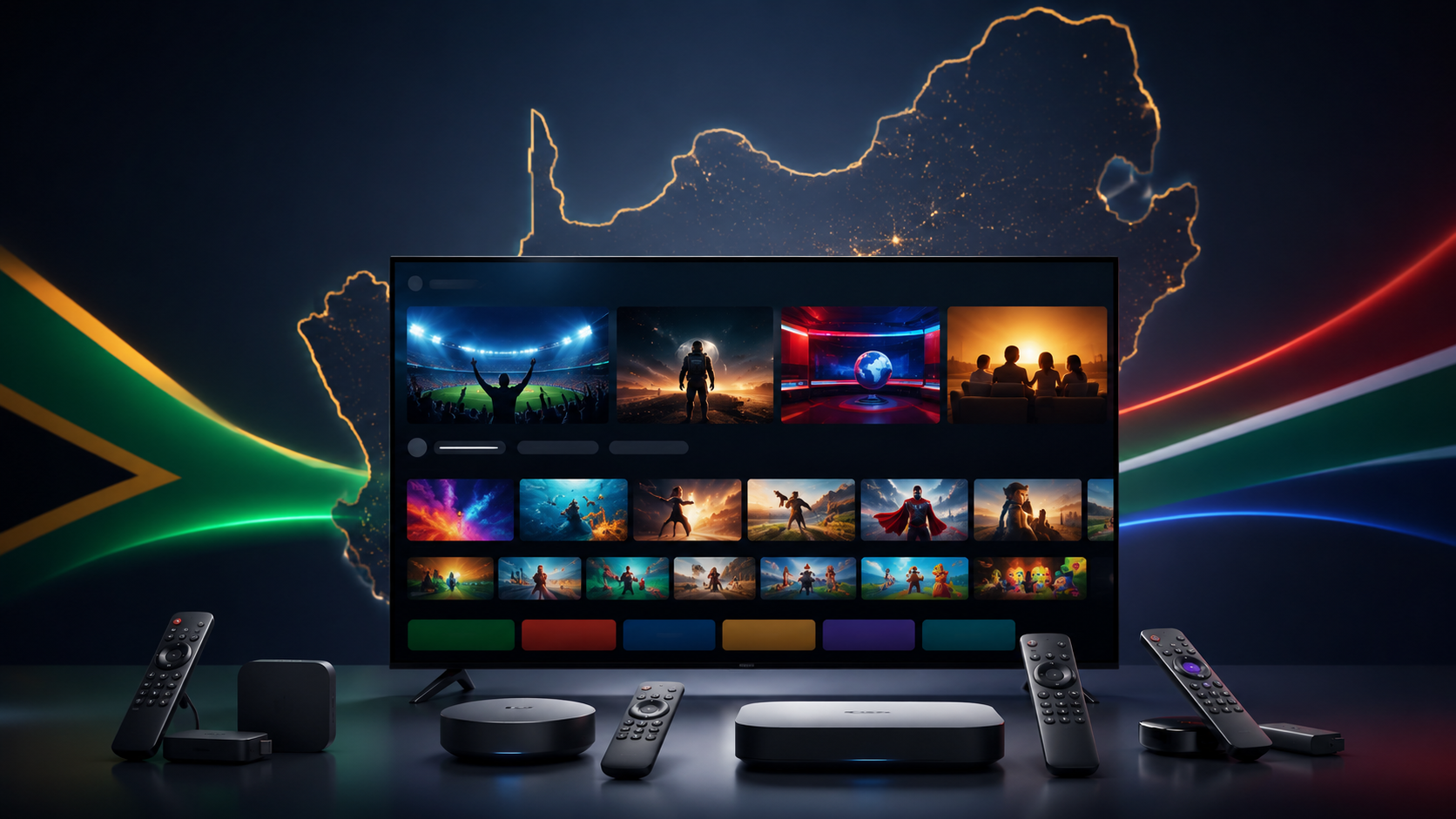
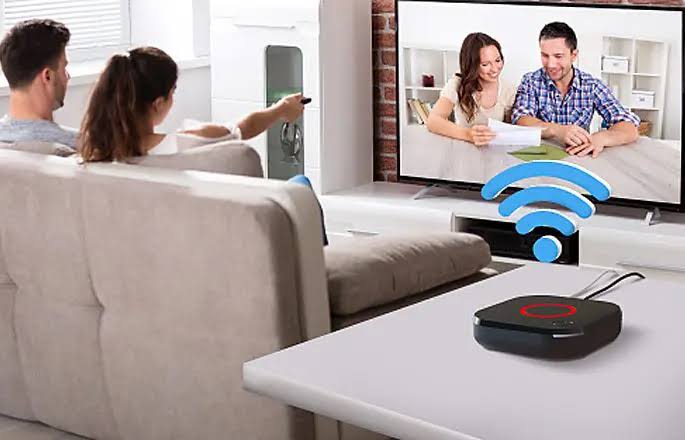
Most South African IPTV viewers choose between three device categories. A dedicated IPTV box — typically a generic Android TV box marketed specifically for IPTV use — runs Android and comes with IPTV apps often pre-installed. A Smart TV's built-in app store lets you install an IPTV player directly on your existing Samsung or LG television without any extra hardware. An Amazon Firestick is a general-purpose streaming device that supports IPTV apps alongside Netflix, Showmax, and other mainstream services. Each has a genuinely different profile once you get past the surface-level "they all just stream TV" pitch.
2. Dedicated IPTV Boxes: Pros and Cons
Pros: Generally more powerful hardware specifically suited to IPTV playback, often with pre-installed apps and sometimes a pre-loaded subscription bundled in from the seller. Full Android access means you can install any IPTV app you want, not just ones available through a curated app store.
Cons: Quality varies enormously between brands, with many budget boxes using underpowered processors that struggle with higher-bitrate 4K content. Software support and security updates are frequently poor or nonexistent once you're past the first year, and some boxes sold specifically bundled with a subscription can lock you into a single provider in ways that aren't always disclosed clearly at purchase.
3. Smart TV Built-In Apps: Pros and Cons
Pros: No additional hardware purchase required if you already own a compatible Samsung or LG Smart TV. One less remote and one less device cluttering your entertainment unit. Generally reliable, stable software since it's tied to the TV manufacturer's own operating system.
Cons: App availability is more limited than Android-based options — not every IPTV player is available on every Smart TV platform, and installation (particularly for Samsung/LG-specific IPTV apps like Smart IPTV/SIPTV) can require an extra activation step involving a MAC address registration that trips up first-time users. Older Smart TVs may lack the processing power for smooth high-bitrate playback.
4. Amazon Firestick: Pros and Cons
Pros: Affordable, widely available, and genuinely easy to set up for most users. Supports the largest range of IPTV apps of any of the three options, alongside all major mainstream streaming services on a single device. Regular software updates from Amazon.
Cons: Sideloading IPTV apps not available directly through the Amazon App Store requires an extra step (typically via the Downloader app) that's straightforward once you've done it but can be confusing the first time. Base-model Firesticks can feel underpowered for higher-bitrate content compared to a more capable Android box.
5. Performance Comparison Under Real Conditions
In our own testing across all three device types on the same IPTV subscription and connection, performance differences were more about hardware quality within each category than about the category itself. A well-specified Android iptv box and a current-generation Firestick performed comparably well on standard and HD content, while older or budget hardware in either category showed more buffering and slower channel-switching times, particularly during peak-hour testing. Smart TV apps performed reliably for standard playback but occasionally showed slower app responsiveness navigating EPG menus compared to the more powerful processors in newer Android boxes and Firesticks.
6. Cost Comparison, Including Hidden Costs
A Smart TV app costs nothing extra if you already own a compatible television. A Firestick typically costs a modest one-time hardware fee, widely available and consistently priced. A dedicated IPTV box's price varies enormously — from budget generic boxes to premium Android TV boxes — and it's worth being cautious of unusually cheap boxes bundled with a "free lifetime subscription," since this is a common vehicle for exactly the unsustainable pricing models covered in our subscription cost guide.
7. Which Option Suits Which Household
If you already own a recent Samsung or LG Smart TV and want the simplest possible setup with no extra hardware, the built-in app route is worth trying first, provided your specific IPTV provider supports Smart TV apps properly.
If you want the broadest app compatibility and easiest general setup, a Firestick is usually the best starting point for most South African households, particularly first-time IPTV users.
If you specifically need a more powerful device — for multiple simultaneous high-bitrate streams, or specific Android apps not well supported on Firestick — a quality Android iptv box from a reputable brand is worth the investment, provided you buy the hardware and subscription separately rather than as a bundled package from an unverified seller.
8. Setup Complexity Compared
Smart TV apps generally require the most upfront configuration (MAC address registration, app-specific activation) but the least ongoing maintenance once set up. Firesticks require a one-time sideloading step for apps outside the official store but are otherwise straightforward day to day. Android boxes vary depending on what's pre-installed, but generally offer the most flexibility with a slightly steeper initial learning curve for anyone unfamiliar with Android's interface.
9. Longevity and Future-Proofing
Firesticks benefit from Amazon's ongoing software support and predictable hardware refresh cycles, making them a reasonably future-proof choice. Smart TV app longevity is tied entirely to your TV manufacturer's own software support timeline, which can vary significantly by model and age. Dedicated Android boxes are the most variable category — a reputable, well-supported brand can last years, while a cheap unbranded box may lose software support and security updates within a year or two of purchase, making brand reputation a genuinely important factor if you're going this route.
10. Frequently Asked Questions
Do I need a special box for IPTV, or will my Smart TV work? Many recent Samsung and LG Smart TVs support IPTV apps directly without additional hardware — check your specific model's app store availability before assuming you need extra equipment.
Is a Firestick good enough for IPTV in South Africa? Yes, for most households a current-generation Firestick handles standard and HD IPTV content well, with the main limitation being sideloading required for some apps.
What should I look for in a dedicated IPTV box? Prioritise a reputable brand with ongoing software support over the cheapest available option, and be cautious of boxes bundled with a "free lifetime subscription," which is often a red flag rather than genuine value.
Can I use more than one device with the same IPTV subscription? This depends on your provider's concurrent stream allowance — check this directly rather than assuming multi-device use is included by default.
Which device gives the best picture quality for IPTV? Picture quality depends more on your subscription's stream bitrate and your internet connection than on the playback device itself, provided the device is reasonably current and not significantly underpowered.
Not sure which device fits your household's setup? Reach out to our team and we'll help you figure out the right fit before you buy anything.
Suggested image: Side-by-side comparison photo of an Android IPTV box, Firestick, and Smart TV remote, alt text: "iptv box vs firestick vs smart tv comparison"
Suggested external dofollow links: Amazon South Africa Firestick product page, a reputable Android TV box manufacturer's specification page
Internal sibling links: Article #1 (Best IPTV South Africa), Article #22 (Best IPTV Player for Android), Article #36 (How to Install IPTV on Firestick)
11. A Deeper Look at Dedicated IPTV Boxes
Because "iptv box" as a product category covers such a wide quality range, it's worth spending more time on how to evaluate one specifically, since this is where South African buyers are most likely to overpay for underpowered hardware or fall into a subscription-locked purchase they didn't fully understand at checkout.
The processor and RAM specification matters more than marketing copy suggests. A box with a genuinely capable quad-core or better processor and at least 2GB of RAM handles standard and HD IPTV streaming comfortably, including reasonably smooth EPG navigation and app switching. Budget boxes with older, weaker processors can technically play IPTV streams but often struggle with anything beyond basic playback — slow menu navigation, laggy remote response, and occasional stuttering during higher-bitrate content are common complaints with underpowered hardware, even when the underlying IPTV subscription itself is perfectly stable.
Storage matters too, though less critically than processing power for pure IPTV use — enough onboard storage to comfortably install your IPTV app plus a couple of alternatives (Netflix, Showmax, YouTube) without constantly managing storage space makes for a noticeably smoother day-to-day experience.
12. The Bundled Subscription Trap
One pattern worth flagging specifically: IPTV boxes sold with a subscription bundled in, particularly at unusually low prices, deserve extra scrutiny. This model can work well when the bundled subscription is from a legitimate, transparent provider — but it's also a common vehicle for exactly the kind of unauthorised or short-lived services covered in our companion guides on IPTV legality and supplier vetting. Before buying a bundled box, research the specific subscription service included using the same legitimacy checklist you'd apply to any standalone provider — a bundled subscription doesn't get a pass on scrutiny just because it arrived pre-installed on hardware you've already paid for.
13. Smart TV Apps: A More Detailed Walkthrough
For households leaning toward the built-in Smart TV route, it's worth understanding the setup process in more detail before committing to this path over a Firestick or box. Most Samsung and LG Smart TVs support IPTV through a dedicated app — commonly Smart IPTV (SIPTV) — which requires registering your TV's unique MAC address with the app provider and typically a small one-time activation fee separate from your actual IPTV subscription cost. This extra step catches a lot of first-time users off guard, since it's not immediately obvious from a Smart TV's general app store browsing experience.
Once properly activated, Smart TV apps tend to be genuinely stable and low-maintenance, benefiting from your television's dedicated hardware and software support cycle. The main long-term risk is tied to your TV's own software support lifecycle — once a manufacturer stops updating a TV's operating system, IPTV app compatibility can degrade even though the television itself continues to function normally for other purposes.
14. Firestick: A More Detailed Walkthrough
For most South African households new to IPTV, we'd suggest starting with a Firestick specifically because it offers the best balance of low cost, straightforward setup, and broad app compatibility. The core extra step beyond a Smart TV — sideloading an IPTV app not available through Amazon's official store — is well documented and, once completed, doesn't need repeating unless you factory reset the device.
It's worth choosing a current-generation Firestick (4K or 4K Max, rather than an older basic HD model) if your budget allows, since the additional processing power meaningfully improves EPG responsiveness and reduces the chance of buffering during higher-bitrate sport content — precisely the scenario where device performance matters most, as covered in our dedicated IPTV sports guide.
15. Multi-Device Households: Mixing and Matching
Many South African households don't need to choose just one device category — a common and genuinely sensible setup involves a Smart TV app in the main lounge (no extra hardware needed) alongside a Firestick in a bedroom or second viewing area. This approach lets you take advantage of each device type's strengths without over-committing to a single hardware category, provided your IPTV subscription's concurrent-stream allowance supports simultaneous use across both. Confirm this specifically with your provider before assuming a mixed setup will work seamlessly, since some providers cap concurrent streams more restrictively than their marketing suggests.
16. Remote Control and User Experience Considerations
Beyond raw technical performance, day-to-day usability matters more than most buying guides acknowledge. Firestick remotes are generally well-regarded for responsiveness and simplicity, with voice search as a genuine convenience feature for browsing content. Smart TV remotes vary significantly by manufacturer and model year, with some older models feeling noticeably less responsive navigating IPTV apps compared to their native TV interface. Dedicated Android boxes often ship with generic remotes of variable quality, and it's worth checking user reviews specifically for remote responsiveness before purchasing an unfamiliar box brand, since a technically capable box paired with a frustrating remote experience undermines much of the hardware's advantage.
17. Power Consumption and Load Shedding Considerations
An underappreciated factor specific to South African conditions: how quickly each device type recovers after a power interruption. Firesticks and most Android boxes generally resume quickly once power returns, provided your router and modem are also back online, typically requiring no manual intervention beyond the device's normal boot sequence. Smart TVs, being larger and more complex devices, occasionally take marginally longer to fully boot and reload apps after a power cycle, though this difference is generally minor in practice. Pairing any of these device types with a properly sized UPS, as covered in our broader infrastructure guides, matters more for consistent viewing than the specific device choice itself.
18. Making Your Final Decision
Bringing this guide together into a practical recommendation: if you're new to IPTV and want the simplest, most broadly compatible starting point, a current-generation Firestick is our default recommendation for most South African households. If you already own a compatible, reasonably recent Smart TV and want to avoid extra hardware entirely, the built-in app route is worth trying first, accepting the slightly more involved initial setup. If you have specific performance needs — multiple simultaneous high-bitrate streams, particular Android apps not well supported elsewhere — a quality Android iptv box from a reputable brand, purchased separately from any bundled subscription, is worth the additional investment and research effort.
Whichever you choose, the device itself is only one half of your overall IPTV experience — pairing it with a properly vetted, tested provider using the frameworks covered throughout our broader guides matters just as much as the hardware decision covered in this article.
19. A Closer Look at Android TV Boxes From Established Brands
Not all Android boxes fall into the budget, unbranded category covered earlier. Established consumer electronics brands also produce Android TV boxes with proper ongoing software support, security updates, and a more predictable hardware quality baseline than the generic, unbranded options sold primarily bundled with subscriptions. If you're specifically drawn to the Android box category for its flexibility and app compatibility, prioritising a recognised brand with a track record of software support meaningfully reduces the risk of ending up with a device that loses update support within a year or two — a genuine and common complaint with the cheapest unbranded options flooding this category.
20. Understanding 4K and Bitrate Requirements Across Devices
If 4K content is a priority for your household, device choice matters more than it does for standard or HD content. Not every Firestick model, Smart TV, or budget Android box handles sustained 4K bitrate playback smoothly — this requires more capable hardware decoding than standard content, and underpowered devices in any category can show stuttering or dropped frames specifically at 4K resolution even when the same device handles standard content without issue. If 4K IPTV content matters to your household, specifically verify your chosen device's 4K decoding capability rather than assuming any device marketed as "4K compatible" will handle sustained 4K IPTV streaming smoothly — there's a meaningful difference between a device that can technically output a 4K signal and one that can reliably decode a sustained high-bitrate 4K stream without interruption.
21. Warranty and Support Considerations
Device warranty coverage varies significantly across these three categories and is worth factoring into your decision, particularly for a purchase you're expecting to rely on daily for a year or more. Firesticks carry Amazon's standard consumer warranty and benefit from a well-established returns and support process familiar to most South African online shoppers. Smart TVs carry your television manufacturer's standard warranty, generally well-established for major brands. Dedicated Android boxes vary enormously in warranty coverage depending on the seller — established brands typically offer reasonable warranty terms, while budget or unbranded boxes sold through informal channels may offer little to no meaningful warranty recourse if the hardware fails within the first few months. This is a further argument in favour of buying box hardware through established, reputable retail channels rather than purely on advertised price.
22. Setting Up Your Chosen Device for the First Time
Regardless of which device category you choose, a few setup principles apply broadly and are worth following for the smoothest possible first-time experience: ensure your device's firmware or software is fully updated before installing any IPTV app, connect via a strong WiFi signal or, ideally, a wired ethernet connection where your device supports it for the most consistent streaming performance, and test your chosen IPTV provider's app immediately after setup during both a quiet period and, where possible, a peak-hour window, following the same trial-testing principles covered in our companion guide on running a proper IPTV trial. A wired ethernet connection in particular is worth the extra cable-running effort for your primary viewing device if at all feasible, since it removes WiFi interference and congestion as a variable entirely — a meaningful reliability improvement, particularly in households with multiple WiFi-connected devices competing for bandwidth during peak evening hours.
23. Common Setup Mistakes to Avoid
A handful of setup mistakes show up repeatedly regardless of which device category a household chooses. Skipping firmware updates before installing an IPTV app is one of the most common, since outdated device software can cause playback issues that have nothing to do with the IPTV subscription itself, leading to unnecessary troubleshooting and provider-switching when the actual fix was a simple device update. Placing a streaming device or Smart TV too far from your WiFi router, in a household without strong whole-home coverage, is another common and easily overlooked cause of buffering that gets mistakenly attributed to the IPTV provider. And failing to check a device's actual concurrent-app or background-process limitations — running an IPTV app alongside several other resource-intensive apps simultaneously on a lower-specification device — can produce performance issues that disappear entirely once background apps are closed.
24. Final Recommendation Summary
To summarise this guide into a single actionable recommendation set: most South African households new to IPTV should start with a current-generation Firestick for its balance of cost, compatibility, and ease of setup. Households with a compatible, reasonably recent Smart TV wanting to avoid extra hardware should try the built-in app route first. Households with specific performance needs beyond what a Firestick comfortably handles should invest in a reputable-brand Android iptv box, purchased separately from any bundled subscription and vetted using the same scrutiny you'd apply to any hardware purchase. Whatever you choose, pair it with a properly tested, transparently priced IPTV provider, and the device choice covered in this guide becomes a solid foundation for a genuinely reliable viewing experience rather than a recurring source of frustration.
25. Accessories Worth Considering
A few small accessories can meaningfully improve your setup regardless of which device category you choose. An HDMI extender cable is worth having on hand for any streaming stick, since some televisions have HDMI ports positioned awkwardly close together or recessed in a way that makes a directly-plugged stick sit uncomfortably close to the TV panel. A universal remote, or your TV's own HDMI-CEC-compatible remote, can consolidate control across your television and streaming device into a single remote, reducing the day-to-day friction of juggling multiple remotes — a small quality-of-life improvement that's easy to overlook when focused purely on the core device decision. And, as covered throughout our infrastructure-focused guides, a properly sized UPS protecting your router, modem, and streaming device together is worth treating as a near-essential accessory given how central load shedding resilience is to a consistent South African streaming experience.
26. Reselling or Repurposing Old Devices
If you're upgrading from an older device to a new Firestick, Smart TV, or Android box, it's worth considering whether your previous device still has life left in it for a secondary viewing area rather than assuming it needs to be discarded entirely. Older Firesticks and Android boxes, while not ideal for your primary high-demand viewing device, can often still handle standard-definition IPTV content perfectly adequately in a secondary bedroom or study setup, extending their useful life and reducing the overall cost of equipping a multi-device household. This is a practical, low-cost way to expand your household's IPTV access without a full second-device purchase, provided your subscription's concurrent-stream allowance supports the additional simultaneous use.
27. Closing Thoughts
Device choice is, in many ways, the most overlooked decision in a South African household's IPTV setup — most first-time buyers focus almost entirely on selecting a subscription provider and treat the device as an afterthought, when in practice the two decisions are equally important to your overall day-to-day experience. A perfectly reliable, well-vetted IPTV subscription can still feel disappointing on underpowered or poorly configured hardware, while even a modest subscription tends to feel smooth and enjoyable on a well-chosen, properly set up device. Take the time to match your device choice to your household's actual needs — viewing habits, number of simultaneous users, 4K requirements if relevant — rather than defaulting to whatever's cheapest or most immediately available, and you'll get considerably more consistent satisfaction out of your overall IPTV setup as a result.
If you're still unsure which device fits your specific household after reading this guide, our team is genuinely happy to talk through your setup directly — get in touch through our contact page and we'll help you make the right call before you spend money on hardware you might not need.
28. Quick Reference Comparison Table
| Factor | Smart TV App | Amazon Firestick | Dedicated IPTV Box |
|---|---|---|---|
| Extra hardware cost | None (if TV compatible) | Low, one-time | Variable, buy separately from subscription |
| Setup complexity | Moderate (MAC registration) | Low (one sideload step) | Moderate to high depending on brand |
| App compatibility | Limited to Smart TV app store | Broadest of the three | Broadest, full Android access |
| Long-term software support | Tied to TV manufacturer | Strong (Amazon) | Variable — brand-dependent |
| Best for | Households avoiding extra hardware | Most first-time IPTV households | Power users, multi-stream needs |
Keep this table on hand the next time you're setting up a new viewing area in your home — it's a quick way to match the right device to the right room and household member without repeating the full research process each time.